


BetChan App


Navigation

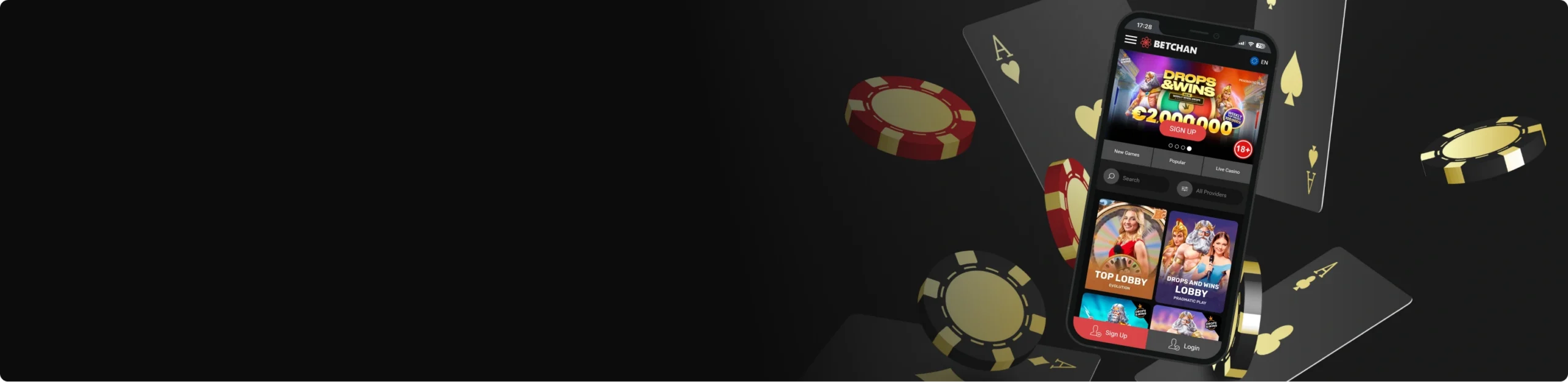
Gone are the days when you could only play casino games on a desktop. Now, you can play your favorite slot and live casino titles on your mobile device with the BetChan mobile app.
The app gives you greater access to the casino environment, allowing you to stay connected at all times. It’s designed to adapt perfectly to any screen size, offering smooth gameplay, sharp graphics, and clear sound.
You won’t lose any quality or features compared to the desktop version, making it easy to enjoy a full casino atmosphere wherever you are. Today, you will learn how to install the app on your Android or iOS device, as well as the game options available to you.
BetChan Mobile App for iOS
The BetChan app for iOS devices is a web-based app that can be accessed anytime with a simple tap. It behaves just like a native app, with smooth transitions and a responsive design that keeps everything easily accessible. You can access all your account features, such as deposits, withdrawals, and bonuses.
How to Download and Install
Installing the app on your iPhone or iPad is as simple as it sounds.
You can get it done by following the BetChan download instructions below:
- Visit the BetChan app from your iOS device.
- Just tap the “Install App” button on the left side menu.
- This adds the BetChan icon to your home screen. Tapping it at any time takes you straight to the casino.
System Requirements
The BetChan iOS app has no special requirements, as it runs on the web through your browser. A stable internet connection, either through Wi-Fi or mobile data, is required as well. Always make sure you’re running the latest iOS version to ensure optimal browser performance.
Compatible Devices
The browser-based nature of the casino app makes it compatible with all iPhones and iPads, both old and new. You don’t need the latest iOS device to use the app.
Sign UpBetChan App for Android
While there’s no BetChan APK file to download, the Android version is a browser shortcut that brings the casino action closer to you. Because there’s no APK file, you don’t have to install anything, which saves space on your device.
How to Download and Install
Follow the steps below to download the BetChan Android app:
- Visit the BetChan app on your Android device.
- Locate the left menu and use the “Install App” button.
- This automatically adds the BetChan icon to your phone’s home screen.
- You can access the casino anytime on your device this way.
System Requirements
The only requirement for this app to run on your Android device is a web browser and a stable internet connection for a seamless experience. Make sure to keep your browser updated for smoother performance.
Compatible Devices
The BetChan app is compatible with a wide range of Android devices. This includes both high-end and budget devices. You don’t need an expensive device to use the mobile app. The app is compatible with phones from all major brands, including Samsung, Google Pixel, Xiaomi, Xperia, Oppo, and Vivo.
Mobile Casino Options
With the BetChan app, you have access to more than 6,000 games that you can play on your mobile device. These games are optimized for mobile play, with horizontal layouts and reorganized controls.
The design adapts perfectly to your screen, whether you’re using a compact smartphone or a large tablet. Tapping and scrolling feel smooth, giving you the same level of comfort you’d expect on a desktop.
Slots
The game library includes an impressive range of slots, jackpots, and table games, each offering a unique type of entertainment. Slot lovers can choose from fruit slots, modern video slots, and progressive jackpot titles that grow with every spin.
Each slot runs smoothly, with sharp graphics, fluid animations, and touch-friendly buttons that make gameplay effortless.
Some slots to try out on BetChan include:
- Cleocatra
- Aloha King Elvis
- Wolf Gold
- Gates of Olympus
Table and Live Games
For fans of table games, classic options like blackjack, baccarat, and roulette are also fully available.
The controls are responsive, chips and cards are easy to move, and you can switch between game types without lag. BetChan’s mobile casino also includes video poker and crash-style games, so you can choose whatever suits your taste.
Live casino games are also available on the mobile app. These games feature real dealers streamed in high quality, allowing you to enjoy a realistic experience without visiting a physical casino.
Some of the games you can enjoy include:
- Blackjack Neo
- Mini Roulette
- No Commission Baccarat
- Sweet Bonanza Candyland
- Andar Bahar
Mobile Website Version
The mobile website version of the BetChan app is a mobile-optimized version of the BetChan website. This version was developed specifically to display properly across mobile devices, regardless of operating system or screen size.
Every page is compressed and formatted to reduce loading times while maintaining sharp visuals and full functionality. One major benefit of the mobile website version is that no download or installation is required to have it on your phone.
You also don’t have to worry about your phone’s version or whether your device is new or old. The mobile website works directly through your browser, meaning you can access your account, claim bonuses, and play games instantly without taking up any storage space.
Simply visit the BetChan website on your mobile browser and start playing. All features, including registration, deposits, withdrawals, and customer support, are fully available on mobile.
Whether you’re playing a few quick spins or spending a full session on live tables, the mobile site delivers strong performance and fast response times, giving you a complete casino experience right from your pocket.
Frequently Asked Questions
1. Do I need to download BetChan app?
No download or installation is necessary for the BetChan app.
2. Can I play live casino games on BetChan mobile?
Yes, you can play live casino games on BetChan using your mobile device.
3. Do I need a separate account to use BetChan on my phone?
No, you don’t need a separate account to use BetChan mobile. If you already have an account, simply log in on your device and continue playing.
